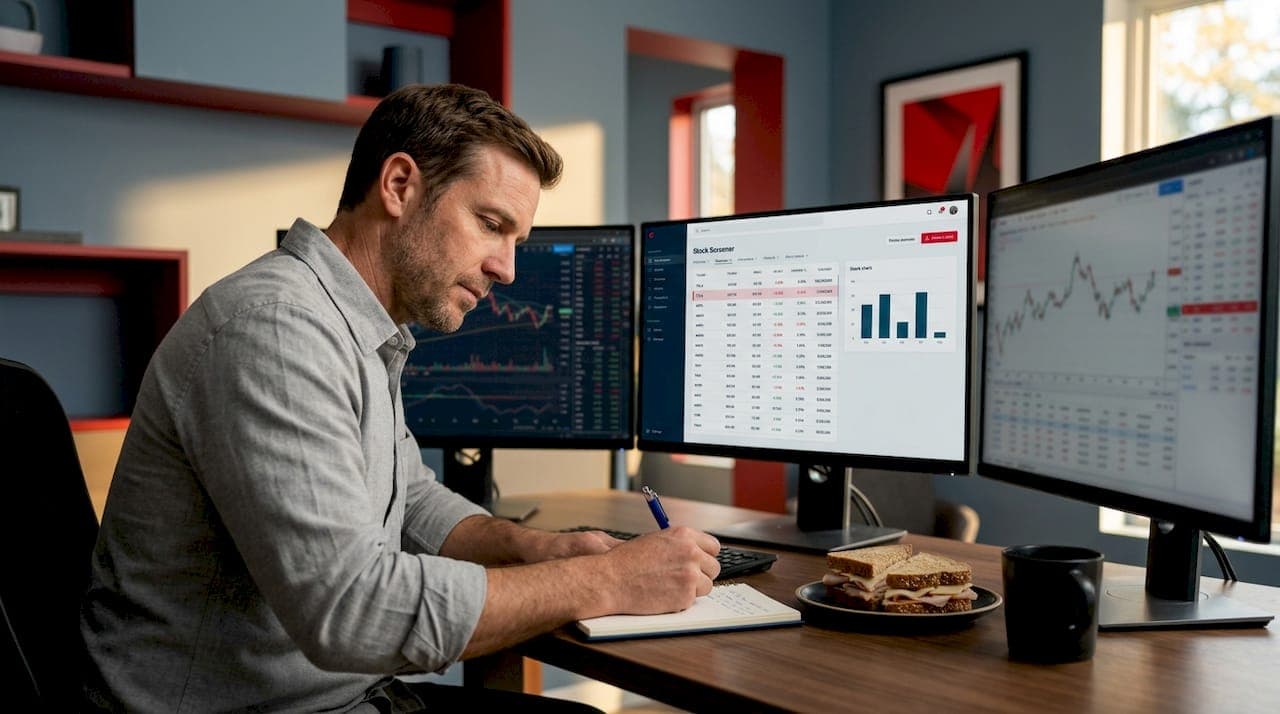
Most traders assume stock screeners do the hard work for them. Set a few filters, hit search, and out comes a list of winning stocks. That's not how stock screeners work. A screener is a filtering tool, not a prediction engine. It narrows a universe of thousands of stocks down to a shorter list based on measurable criteria you define. What you do with that list is still entirely on you. This guide breaks down the mechanics, the data timing issues most traders ignore, the real differences between screener types, and how to use these tools without falling into the traps that trip up most beginners.
Table of Contents
- Key takeaways
- How stock screeners work: the core mechanics
- Types of screeners and scanners
- Data timing and accuracy
- Common mistakes and limitations
- Practical tips for using screeners effectively
- My honest take on screeners after years of use
- Take your screening to the next level with Ai-stockscout
- FAQ
Key takeaways
| Point | Details |
|---|---|
| Screeners filter, not predict | A stock screener applies your criteria to a database and returns matches. It does not forecast future performance. |
| Data timing changes everything | Delayed price data (typically 15 to 20 minutes) can make screener results misleading for fast-moving strategies. |
| Scanners and screeners are different | Scanners run in real-time during market hours. Screeners mostly use end-of-day data. Match the tool to your style. |
| Over-filtering kills results | Too many narrow criteria often returns zero stocks or setups that almost never repeat in real markets. |
| Screeners build shortlists only | Always follow up screener output with chart analysis and context before making any trading decision. |
How stock screeners work: the core mechanics
A stock screener combines three components: a database of companies, a set of measurable variables, and a screening engine that applies your filter criteria to return matching stocks. Understanding each piece helps you use them better.
The database is the foundation. It holds financial and market data on thousands of publicly traded companies. This includes price history, volume, earnings per share, revenue growth, debt ratios, and dozens of other data points. The quality and freshness of this data directly determines how reliable your results are.
The filter criteria are what you control. You set thresholds and conditions across two main categories:
- Fundamental filters: Price-to-earnings ratio, earnings growth, return on equity, dividend yield, revenue trends, and similar financial health metrics.
- Technical filters: Price above or below moving averages, RSI readings, MACD crossovers, volume spikes, and candlestick pattern conditions.
- Price and volume thresholds: Minimum share price, average daily volume, market capitalization ranges.
The screening engine takes your criteria and runs them against every stock in the database simultaneously. Any stock meeting all your conditions appears in the output. Any stock missing even one condition gets excluded.
One thing worth understanding early: screeners only support quantitative factors. They cannot tell you about a pending lawsuit, a CEO scandal, a product recall, or customer satisfaction trends. Those qualitative realities require separate research entirely.
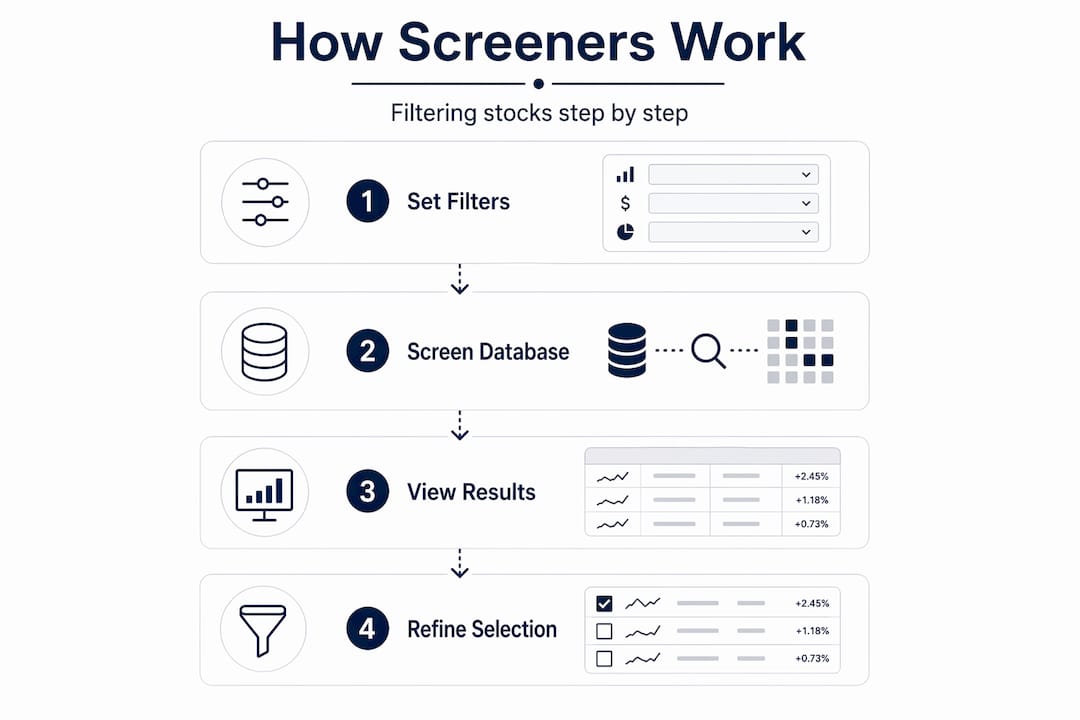
Pro Tip: Start with no more than three to four filters on your first pass. Broad output is easier to refine than an empty results list.
Types of screeners and scanners
Not all screening tools are the same. The type you use should match how you trade.
Fundamental vs. technical screeners
| Type | Best for | Example filters |
|---|---|---|
| Fundamental screener | Long-term investors, value and dividend strategies | P/E ratio, EPS growth, debt-to-equity, dividend yield |
| Technical screener | Swing traders, momentum traders | RSI below 30, price above 50-day MA, volume 2x average |
| Combined screener | Investors blending valuation with momentum | Low P/E + rising RSI + institutional buying signals |
Fundamental screeners suit investors who want to find undervalued companies or stocks with strong earnings growth. You are looking for financial health over weeks, months, or years. Technical screeners suit traders who care more about price action and momentum right now.
Screeners vs. real-time scanners
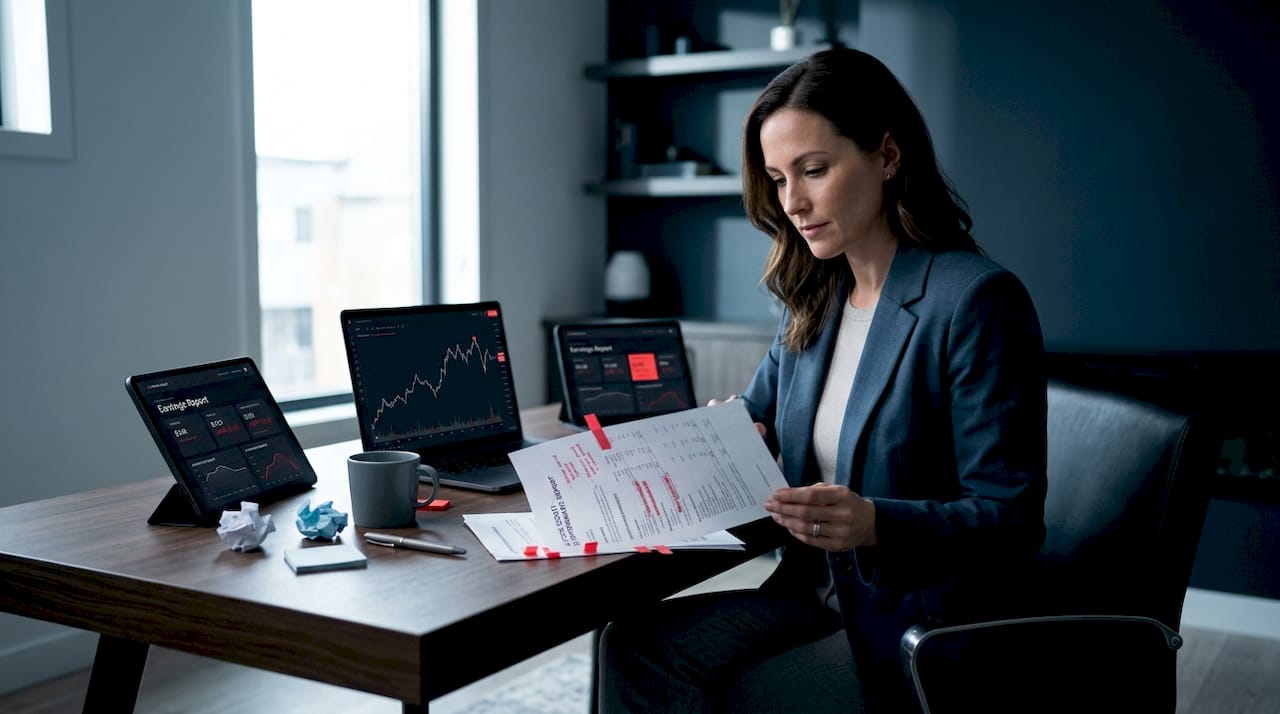
This distinction matters a lot for active traders. Scanners run in real-time during market hours, firing alerts as conditions are met. Screeners typically process end-of-day data and produce results after the market closes.
If you are a day trader, an end-of-day screener is almost useless for intraday decisions. You need a scanner that catches a stock breaking out at 10:15 a.m., not a screener that tells you it broke out yesterday. If you are a swing trader or long-term investor, end-of-day screeners are perfectly adequate and far less overwhelming.
Learning how to use scanners alongside investing apps gives you a better picture of how these tools complement each other rather than compete. Matching your tool to your trading horizon is one of the most overlooked decisions retail traders make.
Data timing and accuracy
This is where most beginner guides skip the details. And the details matter.
Every data field inside a screener has its own update schedule. Price data, fundamental data, and technical indicators do not all refresh at the same time. Here is a practical breakdown:
| Data type | Typical refresh frequency | Risk if stale |
|---|---|---|
| Market price | Real-time or 15 to 20 min delay | Missed entries, outdated signals |
| Earnings/fundamentals | Quarterly (after earnings releases) | Incorrect P/E or growth readings |
| Technical indicators | Recalculated each price update | Depends on price data feed quality |
| Volume | Intraday or end-of-day | Misleading breakout signals |
Delayed U.S. stock quotes typically lag 15 to 20 minutes, while real-time quotes update in milliseconds. For a long-term investor screening on P/E ratios, that delay is irrelevant. For a day trader trying to act on a volume spike, a 20-minute lag means you are acting on old news.
Timing mismatches between price and fundamental data can produce misleading screener rankings. Imagine a screener showing a stock with a P/E of 12 because earnings were just revised upward, while the price displayed still reflects yesterday's close. The ratio looks attractive, but it may already be priced in by the time you see it.
Pro Tip: Before trusting any screener's output, check the platform's data disclosure. Look for "data as of" timestamps or a stated refresh schedule. If you cannot find one, treat results with extra skepticism.
Checking how alternative data sources update can also sharpen your understanding of why different fields inside a screener may be out of sync with each other. Day traders especially cannot afford delayed data when volatile conditions make every minute count.
Common mistakes and limitations
Knowing what can go wrong saves you from expensive lessons.
- Over-filtering: Too many restrictive criteria routinely produce zero results or a setup so rare it almost never repeats. If your screen returns fewer than five stocks per week on average, your criteria are probably too tight.
- Treating output as a buy list: Screener results are candidates, not recommendations. Every stock that passes your filters still needs chart review, news checks, and context before you act.
- Ignoring qualitative risks: Screeners cannot capture lawsuit exposure, management changes, competitive threats, or regulatory headwinds. A stock can pass every quantitative filter and still be a bad trade.
- Backtesting with look-ahead bias: This one gets traders into serious trouble. Look-ahead bias occurs when future information unavailable at decision time is unintentionally used in a backtest, inflating historical performance metrics.
"Backtests lacking point-in-time data controls suffer from look-ahead bias, leading to unrealistic past performance metrics." — pfolio academy
If you are backtesting a screener-based strategy, your historical data must reflect exactly what was visible at each past decision point. Most free tools do not handle this correctly. Using a dedicated backtesting platform that supports point-in-time fundamentals is the cleaner approach. For a step-by-step look at avoiding these errors, backtesting in NinjaTrader covers the workflow in practical detail.
Practical tips for using screeners effectively
You now know how the machine works. Here is how to use it without shooting yourself in the foot.
- Start simple. Pick two to three filters that reflect your strategy. A swing trader might use RSI below 35, price above the 200-day moving average, and average daily volume above 500,000 shares. That combination already narrows thousands of stocks to a handful of candidates.
- Verify with charts. Every stock passing your screen deserves a manual chart review. Look at recent price structure, support and resistance levels, and volume patterns before committing.
- Use screeners as shortlist builders. Screeners work best as preliminary generators, not as final decision-makers. The filter pass is step one. Your analysis is step two.
- Add a real-time scanner if you day trade. Screeners alone will not cut it during market hours. Pair them with a live scanner that fires alerts when conditions are met in real time.
- Track and refine your filters. Keep a log of which setups produced usable candidates versus dead ends. Refine over time based on what actually works in current market conditions.
Pro Tip: Save your best filter combinations as named presets. Most platforms support this. It saves time and keeps your workflow consistent across different sessions.
My honest take on screeners after years of use
I have been using stock screening tools for a long time, and the single biggest mistake I see traders make is expecting too much from them. A screener is a map. It tells you where the terrain is. It does not tell you where to step.
What changed my own workflow was accepting that quantitative and qualitative analysis are not optional extras. They are a team. I use screeners to cut 8,000 stocks down to 20. Then I spend real time reading those 20. The screener saves me hours. The manual review saves me money.
I have also learned to be very deliberate about data timing. I check the refresh schedule on every platform I use. If the price data is 20 minutes old during a fast market, I treat those results as historical context only. That discipline alone has prevented some bad intraday entries.
The other thing I keep coming back to: look-ahead bias in backtests is far more common than traders realize. If your backtest shows a 70% win rate on a screener strategy, ask yourself whether the fundamental data used in that test was actually available at the time of each simulated trade. Usually, it was not. That 70% starts looking very different once you control for it.
Screeners are worth learning deeply. They give you a real edge in shortlisting. They just do not make decisions for you.
— Philip
Take your screening to the next level with Ai-stockscout
You have the knowledge. Now put it to work with the right tool.
Ai-stockscout combines smart stock scanning, real-time alerts, and alternative data (insider trades, congressional activity, dark pool flow, and social signals) in one place. It is built for retail investors and active traders who want professional-grade screening without the professional-grade price tag. The free plan is genuinely useful on day one. The Pro upgrade, available with a 3-day free trial, costs a fraction of what legacy platforms charge and includes automated scanning that runs while you focus on analysis. No pressure. Cancel any time. If you are ready to see how AI-powered screening fits into your real workflow, start today.
FAQ
What does a stock screener actually do?
A stock screener filters a database of companies using criteria you set and returns stocks that match all your conditions. It does not predict which stocks will go up.
What is the difference between a screener and a scanner?
Screeners typically use end-of-day data to generate lists after market close. Scanners run in real-time during market hours and alert you as conditions are met, making them better suited for day trading.
Why do my screener results sometimes look wrong?
Timing mismatches between price data and fundamental data can produce misleading results. Always check when each data field was last updated before acting on screener output.
What is look-ahead bias in screener backtesting?
Look-ahead bias happens when a backtest uses financial data that was not yet available at the simulated decision point, making the strategy appear more profitable than it would have been in real time.
How many filters should a beginner use?
Start with two to four filters. Over-filtering commonly leads to zero results or setups that almost never appear in real markets. Simplicity and balance produce better practical results.